LTDHUB | Your #1 Source for Software Lifetime Deals
LTDHUB is the ultimate resource for finding lifetime deals on software products. With LTDHUB, you can save time and money on your next digital product purchase.
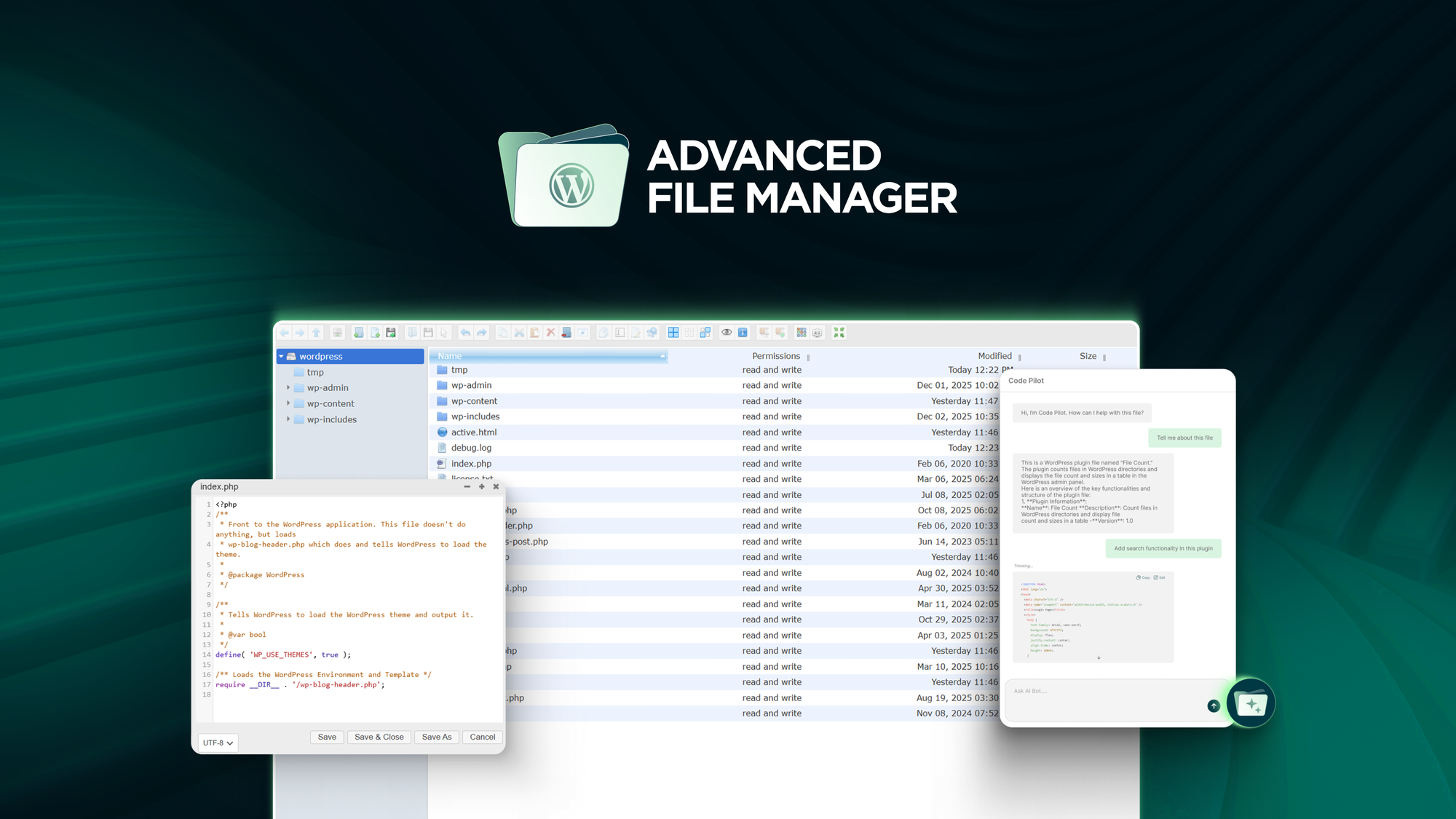

Advanced File Manager Lifetime Deal
Advanced File Manager Lifetime Deal organizes and manages WordPress files and cloud storage directly from the WordPress dashboard for streamlined file management.
TL;DR:
- What it is: Advanced File Manager is a WordPress plugin that centralizes file management, cloud syncing, and backend tasks in one dashboard.
- Who it's for: Ideal for developers, web designers, and agencies managing WordPress sites.
- My Verdict: A solid option for professionals seeking efficient file management within WordPress.
What is Advanced File Manager?
Advanced File Manager is a WordPress plugin designed to simplify the process of managing files and cloud storage directly from the WordPress dashboard. It eliminates the need for external FTP tools or multiple open tabs by providing an all-in-one file management solution. The tool also integrates with popular cloud storage services like Google Drive, Dropbox, OneDrive, and Amazon S3, making it a versatile choice for users who want centralized control over their website files.
Who Is This Product For? (And Who It's NOT For):
Who It's For:
- Developers who need a streamlined way to manage backend files without switching between multiple tools.
- Web designers and agencies that frequently handle large amounts of files for client websites.
- Businesses or individuals requiring seamless integration with cloud services like Google Drive, Dropbox, and Amazon S3.
Who It's NOT For:
- Beginners or casual users who may not require advanced file management features or backend access.
- Users who are not running WordPress sites, as the product is specifically tailored for WordPress.
A Look at The Key Features:
-
Centralized File Management:
- Benefit: Users can organize, upload, move, and rename files directly from their WordPress dashboard using intuitive drag-and-drop tools, saving time and effort.
-
Cloud Sync Integration:
- Benefit: Real-time syncing with Google Drive, Dropbox, OneDrive, and Amazon S3 allows users to manage both cloud and local files from one platform.
-
Role-Based Access Control:
- Benefit: Administrators can control who has access to specific files or folders through user-based or role-based restrictions, ensuring security and privacy.
-
Advanced Backend Tools:
- Benefit: Features like an AI Code Editor and Adminer for database access help developers perform backend tasks efficiently without leaving WordPress.
-
Frontend File Access:
- Benefit: Users can manage files from the front end using Gutenberg blocks or shortcodes, making it easier to collaborate with non-technical team members.
Analyzing the Offer & Pricing:
Advanced File Manager offers four pricing tiers with lifetime access:
- License Tier 1 ($49): Includes access for 1 site with frontend access, multilingual support, cloud integrations (Google Drive, Dropbox, OneDrive, Amazon S3), AI integration, and role-based file access control.
- License Tier 2 ($109): Covers 3 sites and includes all features in Tier 1.
- License Tier 3 ($239): Covers 10 sites with the same features as Tier 1.
- License Tier 4 ($409): Offers unlimited site access with all features.
Each tier includes a 60-day money-back guarantee and future plan updates. The pricing appears competitive for the features offered, especially for agencies needing multi-site support. However, the jump in price between tiers may not be justified for smaller teams or individual users unless they manage multiple sites.
Pros & Cons:
Pros:
- Centralized file management directly within WordPress eliminates the need for external tools.
- Supports real-time syncing with popular cloud storage services.
- Role-based access controls enhance security.
- Lifetime access plans provide long-term value.
- Includes advanced backend tools like an AI Code Editor and database access via Adminer.
Cons:
- Limited to WordPress users; not suitable for non-WordPress websites.
- Pricing may be steep for individual users or small teams managing only one or two websites.
- No mention of customer support availability or onboarding resources for new users.
Alternatives & Competitors:
- WP Media Folder: A similar WordPress plugin offering media file management and cloud integrations. However, it may lack some of the advanced backend features like AI Code Editing provided by Advanced File Manager.
- FileBird: Another WordPress file manager plugin focused on organizing media libraries but does not offer as extensive backend tools or role-based access control.
Final Verdict: Should You Buy It?
Good for a Specific Audience:
Advanced File Manager is a robust tool for developers, web designers, and agencies managing WordPress websites. Its comprehensive features like centralized file management, cloud syncing, and advanced backend tools make it a great asset for professionals. However, its utility is limited to WordPress users, and the pricing may be excessive for small-scale projects or individual users. If you fall into its target audience, this plugin is worth considering.