TL;DR:
- What it is: Parallels Desktop for Mac is a virtualization software that lets you run Windows and its applications on a Mac without needing to restart.
- Who it's for: Mac users at home, school, or work who depend on Windows-exclusive software, games, or development tools.
- My Verdict: A top-tier solution for integrating Windows into a Mac environment, with flexible pricing for different needs.
What is Parallels Desktop for Mac?
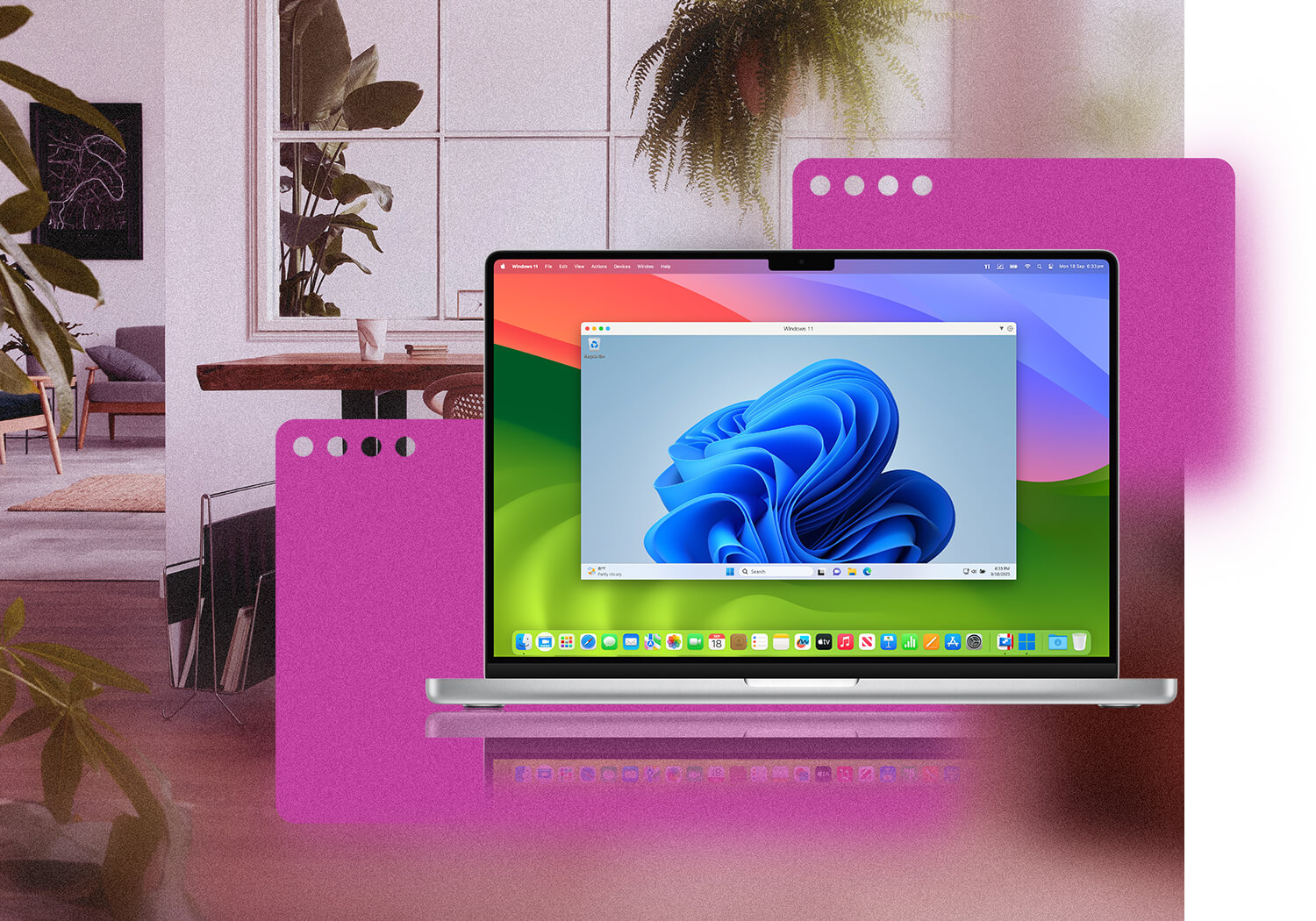
At its core, Parallels Desktop for Mac solves a fundamental problem: the incompatibility between macOS and Windows applications. It creates a "virtual machine" on your Mac, allowing you to install and run the full Windows operating system just like any other app. This eliminates the need for a separate PC, providing seamless access to over 200,000 Windows programs for work, school, and gaming directly on your Mac.
Who Is This Product For? (And Who It's NOT For):
Based on the landing page, this product is designed for:
- Home Users & Students: Anyone who needs to run specific Windows software or games that aren't available on macOS.
- Professionals: Business users who rely on Windows-critical applications like the full Microsoft Office 365 Suite.
- Developers & Power Users: Individuals who need advanced functionality, more processing power for their virtual machines, and development tools.
This product is NOT for:
- Users who are perfectly content within the Apple ecosystem and have no need for Windows software.
- Users on a tight budget looking for a free, open-source alternative, as Parallels is a premium product.
- Enterprise IT managers who need basic virtualization without advanced deployment and management tools (they should look at the Enterprise Edition specifically).
A Look at The Key Features:
- Coherence Mode: This standout feature makes the Windows operating system invisible. You can run Windows applications right from your Mac's Dock as if they were native Mac apps, creating a truly integrated experience without a clunky Windows desktop in the way.
- Seamless Integration: The software excels at bridging the gap between the two operating systems. You can drag and drop files between Mac and Windows, copy and paste content, and even open Mac files with Windows programs directly from the Finder. This removes friction and boosts productivity.
- One-Click Setup: Parallels simplifies the often-complex process of setting up a virtual machine. It can download, install, and configure Windows 11 on your Mac in just a couple of clicks, getting you up and running quickly.
- Optimized for Performance: The software is designed to deliver strong performance, supporting 3D graphics acceleration (DirectX and OpenGL) for running graphically intensive applications and games. Higher-tier plans offer significant virtual RAM and CPU allocations for demanding tasks.
Analyzing the Offer & Pricing:
Parallels offers a mix of one-time purchases and subscriptions to cater to different users.
-
Standard Edition (One-Time Purchase):
- Price: $219.99
- Best For: Home and personal use.
- Features: Includes 8 GB of vRAM and 4 vCPUs. Allows you to run Windows, Linux, and other macOS versions in a virtual machine.
- Support: Comes with 30 days of phone and email support.
- Value: This is a great option for users who dislike subscriptions and have basic needs. However, one-time purchases typically do not include free upgrades to future major versions.
-
Pro Edition (Subscription):
- Price: $59.99 /yr
- Best For: Developers, testers, and power users.
- Features: Unlocks significantly more power with up to 128 GB of vRAM and 32 vCPUs, plus advanced developer tools and a command-line interface.
- Value: A necessary upgrade for anyone doing serious development or running resource-heavy applications. The subscription ensures you always have the latest version.
-
Business Edition (Subscription):
- Price: $97.49 /yr
- Best For: Use in a company setting.
- Features: Includes all Pro features plus centralized administration, license management, and deployment tools for teams.
- Value: Essential for businesses that need to manage multiple licenses and ensure consistent configurations across their organization.
Pros & Cons:
Pros:
- Flexible Pricing: The addition of a one-time purchase option is a major plus for users who prefer to own their software outright.
- Exceptional Ease of Use: From setup to daily operation, Parallels is known for its user-friendly and intuitive interface.
- Deep Integration: Features like Coherence Mode and drag-and-drop make using two operating systems feel incredibly smooth.
- Microsoft Authorized: As a solution authorized by Microsoft to run Windows 11 on Apple M-series Macs, it offers peace of mind and guaranteed compatibility.
Cons:
- Limited Support on One-Time Purchase: The 30-day support window for the Standard Edition is quite short.
- Potential Upgrade Costs: While the one-time purchase avoids recurring fees, you will likely have to pay an upgrade fee for future major versions of Parallels Desktop.
- Standard Edition Limitations: 8 GB of vRAM is sufficient for basic tasks but may struggle with more demanding applications or heavy multitasking.
Alternatives & Competitors:
- VMware Fusion: A powerful competitor that is highly regarded, especially in professional and IT environments. It often appeals to more technical users but is sometimes seen as less integrated and user-friendly than Parallels for everyday use.
- Oracle VM VirtualBox: A free and open-source alternative. While it's a capable tool, it lacks the polish, performance optimization, and seamless integration features that define the Parallels experience. It's a good choice for casual use or if cost is the primary concern.
Final Verdict: Should You Buy It?
Highly Recommended
Parallels Desktop for Mac remains the gold standard for running Windows on a Mac, and the flexible pricing makes it accessible to a wider audience. If you are a home user with basic needs and a strong aversion to subscriptions, the Standard Edition one-time purchase is a solid investment. For professionals, developers, or anyone who needs maximum performance and continuous updates, the Pro Edition subscription offers superior value and power. The software is polished, powerful, and delivers on its promise of a seamless cross-platform experience.