TL;DR
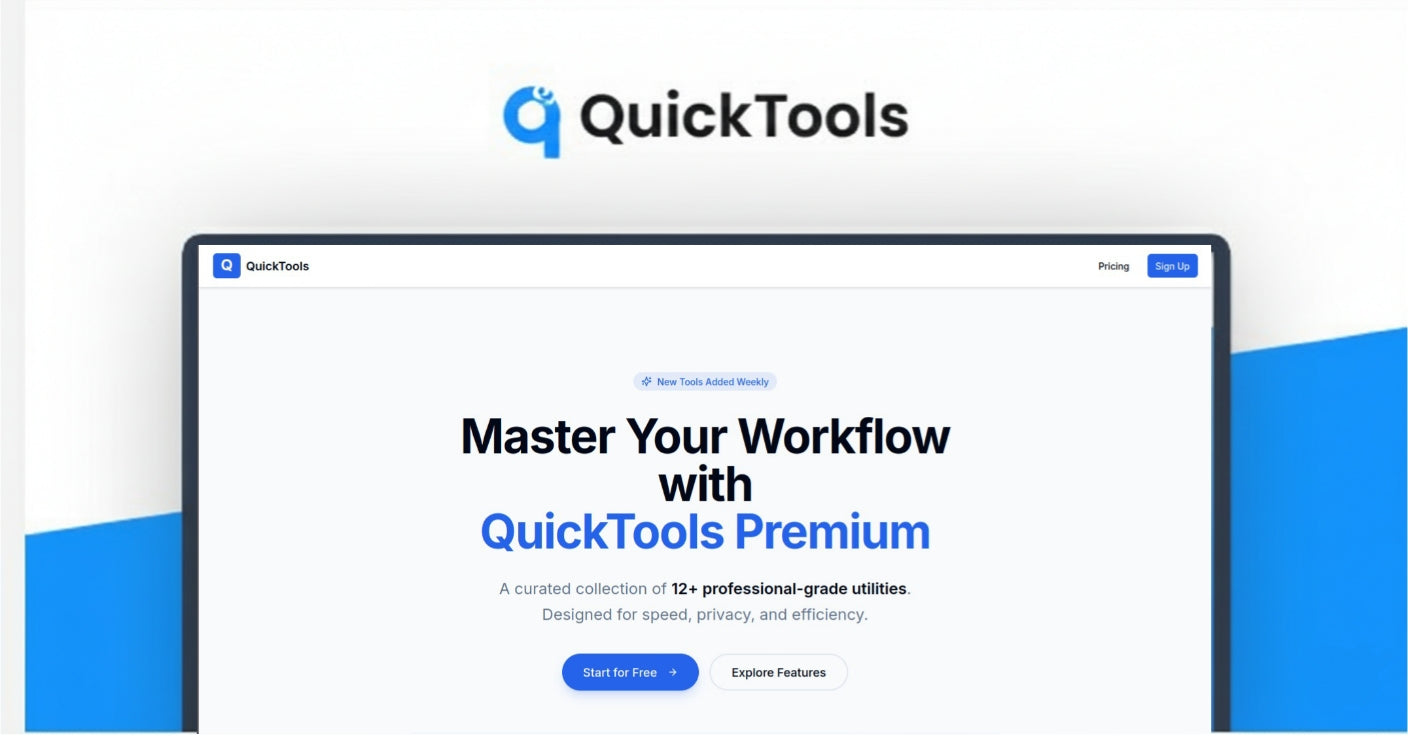
- What it is: A privacy-focused, browser-based toolkit consolidating 14+ essential digital utilities (like PDF editing, QR generation, and background removal) into one dashboard.
- Who it's for: Digital marketers, freelancers, content creators, and solopreneurs who want to eliminate subscription fatigue and tab-switching.
- My Verdict: Highly Recommended for the sheer value of the lifetime "unlimited usage" offer.
What is QuickTools?
QuickTools solves the "scavenger hunt" problem of the modern digital workflow. Instead of visiting five different ad-riddled websites to shorten a link, convert a file, or remove an image background, QuickTools brings over 14 essential utilities into a single, clean interface. It is designed to be a friction-free workspace that runs entirely in your browser without requiring downloads or complex setups, emphasizing speed and user privacy.
Who Is This Product For? (And Who It's NOT For)
Based on the landing page, the ideal user profile includes:
- Digital Marketers & Solopreneurs: Who need to quickly generate tracked links, QR codes, or clean up product images without launching heavy software.
- Content Creators: For fast media compression and format conversion across different platforms.
- Developers & Designers: Who need reliable utility tools (like SVG conversion or dummy logo creation) without setup overhead.
- Small Business Owners: Who need occasional tools but don't want to pay for multiple specialized subscriptions.
Who it is NOT for:
- Enterprise Teams: There is no mention of team seats, role-based access control, or SSO, suggesting this is a single-user license.
- High-End Creative Professionals: While it handles "quick edits," it likely lacks the granular control of dedicated software like Adobe Photoshop or Acrobat Pro for complex tasks.
- Offline Users: As a browser-based toolkit, it requires an active internet connection to function.
A Look at The Key Features
- Unlimited Background Removal:
This is often a paid feature in other tools (like Remove.bg). QuickTools allows you to remove backgrounds for product shots and thumbnails instantly, which is a massive value add for e-commerce and creators.
- URL Shortener with Analytics:
Beyond just shortening links, it provides built-in analytics to track performance. This effectively replaces basic tiers of tools like Bitly.
- Privacy-First File Processing:
A critical feature for business users. QuickTools asserts that uploads are processed securely and—crucially—are not retained after processing. This eliminates the security risk often associated with free online converter sites.
- Comprehensive PDF Editor:
Allows users to merge, split, compress, and add text to PDFs directly in the browser, handling the most common document management frustrations.
- QR Code Generator:
Supports various formats including URLs, text, and vCards, making it useful for networking and physical marketing materials.
Analyzing the Offer & Pricing
The product is currently offered via Dealify as a Lifetime Deal, which is a significant departure from the standard SaaS subscription model.
- The Deal: $79.00 (One-time payment).
- Regular Price: Listed as $320.
- What You Get:
- Lifetime Subscription: Pay once, use forever.
- All Pro Tools: Access to the premium versions of all 14+ tools.
- Unlimited Usage: This is the selling point—no credit limits on tasks like background removal or conversions.
- All Future Updates: Access to new tools and improvements added later.
- Priority Support.
- 30-day Money Back Guarantee.
Value Analysis:
At $79, the pricing is aggressive. Competitors often charge $10-$20/month just for background removal or advanced PDF editing. Getting "Unlimited Usage" across 14+ tools for a single payment offers exceptional ROI for anyone who uses these tools weekly.
Pros & Cons
Pros:
- Cost Efficiency: The lifetime deal eliminates recurring monthly subscriptions for multiple disparate tools.
- Unlimited Usage: The lack of credit caps (specifically for AI-heavy tasks like background removal) is a major advantage.
- Privacy Assurance: Explicit commitment to no data retention and secure uploads is rare for "free tool" aggregators.
- Zero Friction: No installation required; works on any browser and mobile devices.
Cons:
- Dependency on One Platform: If the site goes down, you lose access to your entire toolkit.
- Depth vs. Breadth: As a "Swiss Army Knife," individual tools (like the Logo Creator) are likely basic compared to specialized standalone competitors.
- No API Access: There is no mention of API access, meaning you cannot automate these tools into a code-based workflow.
Alternatives & Competitors
- TinyWow: A popular free alternative that offers similar browser-based tools. However, free versions often have file size limits, CAPTCHAs, or ad-heavy interfaces compared to the QuickTools Pro experience.
- 123apps: Another web-based suite for PDF and video tools. QuickTools distinguishes itself with a cleaner UI and the specific inclusion of marketing tools like Link Shorteners and QR codes.
- Canva: While Canva is superior for design, QuickTools offers utility features Canva lacks (like file conversion and link analytics) and is much cheaper than a Canva Pro subscription.
The Team
The product features a "Founder’s Note" signed by The QuickTools Team.
- Mission: They built QuickTools to remove the friction of "too many tabs, too many ads, and too many logins."
- Philosophy: They emphasize a "privacy-first" design, promising not to treat user files as fuel for upsells or data retention.
- Roadmap: The team states they are "continuously improving speed" and "adding the tools people actually request," indicating active development.
Final Verdict: Should You Buy It?
Highly Recommended
If you are a freelancer, marketer, or content creator, QuickTools is a no-brainer at $79.
Here is the math: A subscription to a background remover alone usually costs more than $79 per year. A decent URL shortener with analytics can cost the same. With QuickTools, you get both—plus 12 other utilities—for a one-time fee with unlimited usage.
While it won't replace heavy professional software for complex design or video editing, it perfectly fills the gap for the 90% of daily "grunt work" tasks. The privacy guarantee and lack of monthly fees make this a secure, high-value investment for your digital toolkit.